An email agent without writing a service
You do not need a deployed service to run an email agent. An automation tool with a webhook trigger, an LLM step, and an HTTP request node is enough, and for a narrow job it is often the right amount of machinery. The parts that matter are the same either way: read the thread, decide, reply in thread, and do not send twice.
4 min read
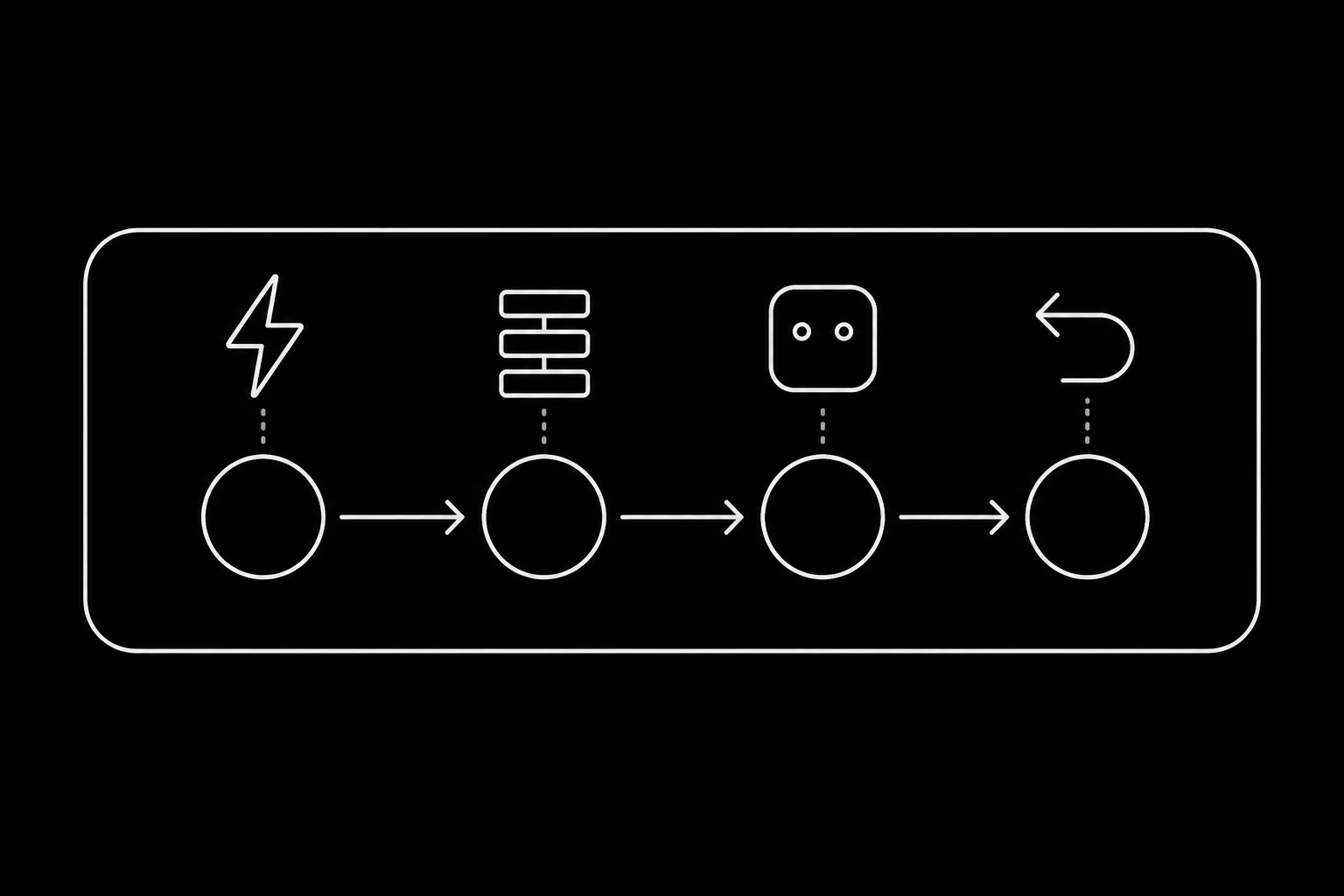
The shape
Trigger: a webhook. Register an endpoint for message.received and paste the URL your automation tool gives you. Mail now starts a run in seconds rather than on a schedule. Polling is available and is the wrong default, per webhooks or polling.
Step one: fetch the thread. An HTTP request to GET /v1/threads/{id} with your key. This is the step people skip, and skipping it is why so many no-code agents answer the last message rather than the conversation.
Step two: look the sender up. GET /v1/contacts?lookup=<email>. Cheap, and it stops the agent asking for something the workspace already holds.
Step three: decide. Your LLM node, given the thread and the contact, returning a small structured object rather than a finished email: an action, a body, and a source. Structured output is what lets the next step branch instead of blindly sending whatever came back.
Step four: act. POST /v1/messages/{id}/reply-all to answer in thread, or mark the message unread to hand it to a human.
curl https://mcpmailer.com/v1/messages/msg_.../reply-all \
  -H "Authorization: Bearer mmk_live_..." \
  -H "Content-Type: application/json" \
  -d '{"body": "Your refund was issued today and reaches your card in 3 business days."}'
The four things that go wrong
It replies twice. Webhook deliveries retry by design, so a run that is not idempotent will eventually answer the same message twice. Every automation tool can do this: keep a record of handled message ids in a sheet, a data store, or the tool's own dedupe step, and exit early when the id is already there. Details in what happens when forty messages arrive at once.
It answers the wrong thing. Because step one was skipped. read_message gives you a message; get_thread gives you the conversation with quoted history stripped, and that is what the model should see.
It breaks the thread. Composing a new message instead of replying to a message id starts a fresh conversation on the recipient's side, and the agent loses its own context next time. Always reply-all against the message id, per how email threading works.
It ignores a refusal. A send can come back rejected with a reason. Branch on it rather than treating a non-200 as a failed step to retry: quota reasons carry a reset, recipient_suppressed means stop, and a spend cap needs the workspace owner.

Verify the webhook, even here
It is tempting to skip signature verification when the endpoint is a URL an automation tool generated. Do not: an unverified endpoint lets anyone start runs on your account and feed text to your model.
Most tools can compute an HMAC in an expression or a small code step. Compare it to the signature header before anything else happens in the run, and reject on mismatch. The mechanics are in webhooks.
What no-code is good at, and where it stops
| Good fit | Reach for code |
|---|---|
| One narrow category of mail | Several categories with different rules |
| Reply or escalate, nothing else | Actions in other systems with real consequences |
| Volume in the tens per day | Bursts, concurrency, per-thread locking |
| A prototype you may throw away | Something a customer depends on |
The honest boundary: automation tools are excellent at the plumbing and poor at the state. Once you need per-thread serialisation, waits measured in days, or a golden-thread test suite, you are building a service whether or not you meant to, and the TypeScript or Python versions will be less work than fighting the visual editor.
That is not an argument against starting here. A working agent answering one category by Friday teaches you more than a design document, and the API is identical when you move.
Keeping it safe while it is simple
- One key, one agent identity, stored in the tool's credential store rather than pasted into a node.
- Whitelist mode on the identity so only addresses you allow can trigger runs, per deciding what reaches your agent.
- An escalation path that is a real branch, not a prompt instruction.
- A cap on how many messages a run may send, because a loop in a visual editor is as easy to write as anywhere else.
- Someone reading the threads for the first week, per the first week with an email agent.
Questions
- Can I build an AI email agent without code?
- Yes. A webhook trigger, two HTTP requests to fetch the thread and contact, an LLM step returning structured output, and one reply call is a working agent in most automation tools.
- How do I stop it replying twice?
- Record handled message ids and check before acting. Webhook deliveries retry by design, so duplicates are guaranteed without that check.
- Why fetch the thread separately?
- Because a single message is rarely enough to answer.
GET /v1/threads/{id}returns the conversation with quoted history stripped, which is what the model should reason over. - Do I need to verify webhook signatures in a no-code tool?
- Yes. Without it, anyone who learns the URL can start runs on your account and feed text into your model. Most tools can compute an HMAC in a code or expression step.
- When should I move to real code?
- When you need per-thread concurrency control, waits measured in days, several categories with different rules, or a test suite. At that point the visual editor is more work, not less.
- Does the API differ between no-code and SDKs?
- No. Same key, same endpoints, same limits and audit trail, so moving later is a port rather than a rewrite.
Give your agent an address it can answer from.
Create an inbox